Integrate with External POS
Connect your external POS to CodePay payment terminal to make payments, process refunds, and perform other actions.
This tutorial shows how to connect to a CodePay terminal, start a Sale request, and handle the Sale response in a sample app. The app uses simple buttons to run payment actions.
Before making POS payments, you should understand how the API works and how requests and responses are organized.
See our official API reference.
Use the correct integration architecture
The endpoint you use and the authentication method depend on how your integration connects to the CodePay terminal:
| Local Communication | Cloud Communication | |
|---|---|---|
| Communication protocol | WebSocket protocol | HTTP and MQTT protocol |
| Network interaction | 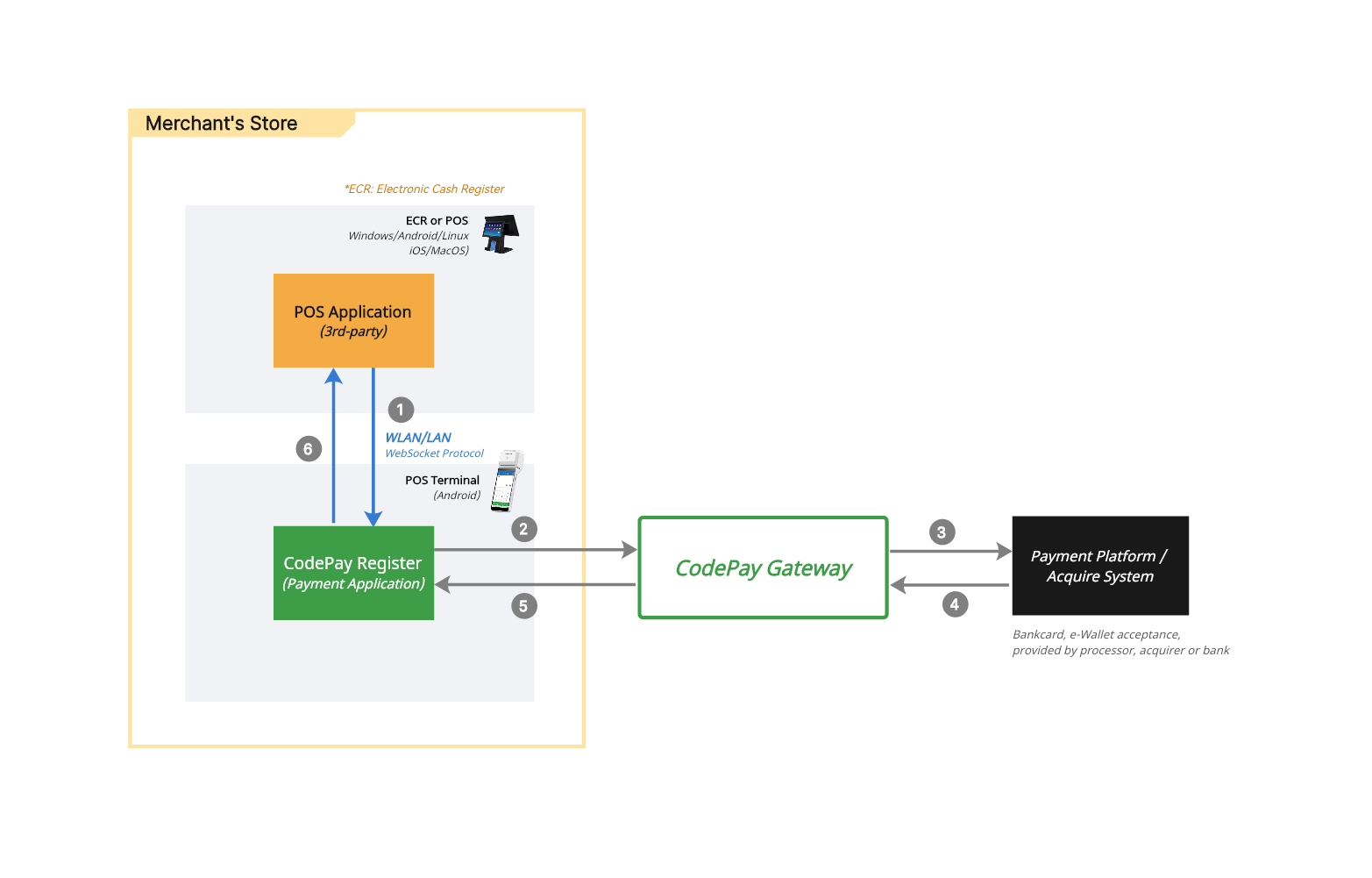 | 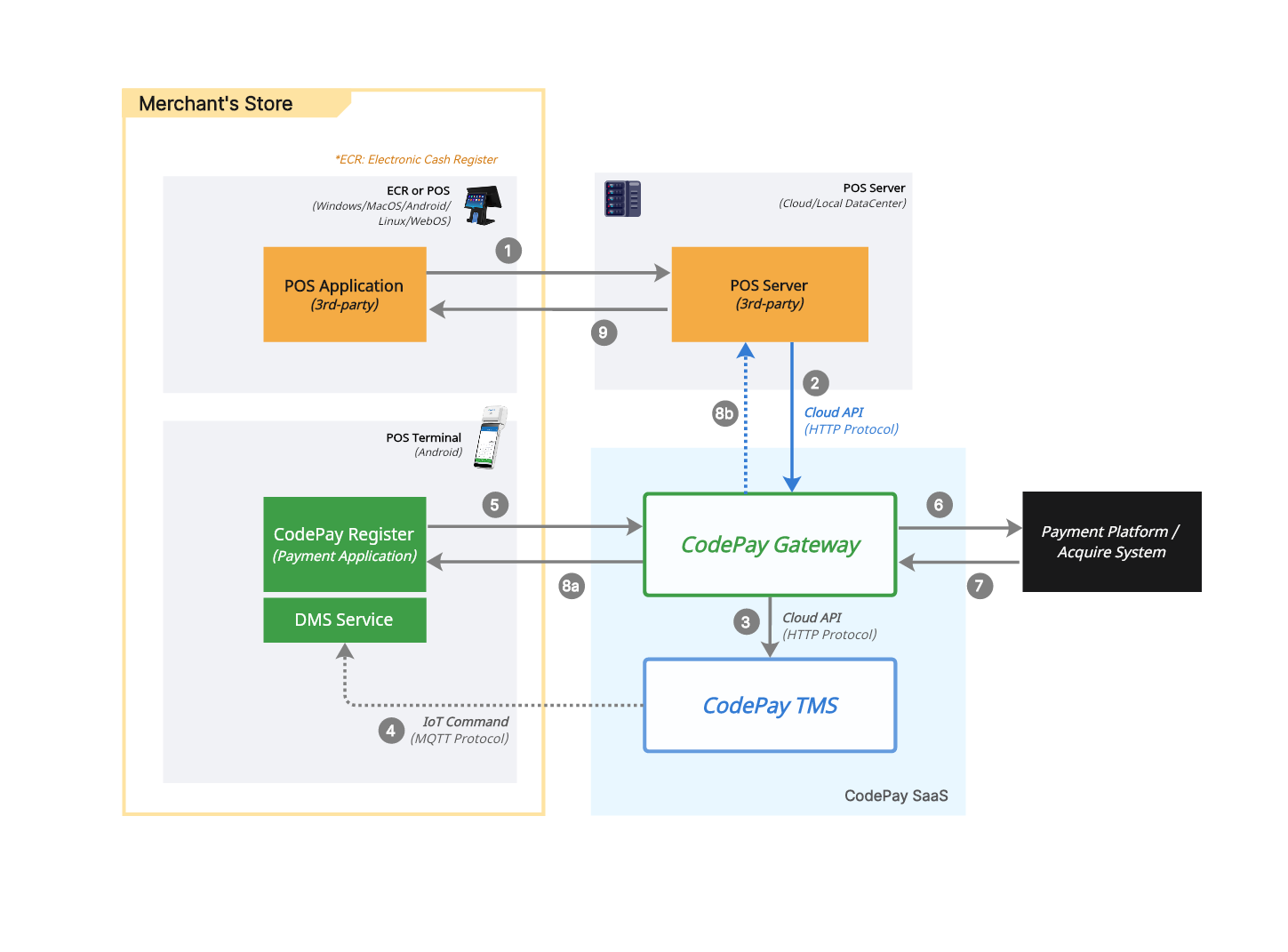 |
| Solution advantage | Better adaptability for use in a wider range of areas within the store Can be used for more operating systems, such as Windows, Android, IOS | Use Terminal with your own backend or middleware, even without iOS, Android, or JavaScript SDK support. Connect any device to Terminal and use internet instead of local network for more reliable connections. |
| Restricted condition | There are high requirements for WIFI network coverage and connection stability in the store area | There are high requirements for the quality of internet access in stores |
Technical Know-how
The success of your local communication integration depends on several technical and practical factors.
Store network setup and management
Your team or service provider managing the store network must know how to set up the network for payment terminals. They also need to configure the terminal IP addresses correctly:
- For local integration, use DHCP reservation or a static IP address.
- If possible, set the DHCP lease time to 24 hours or longer so IP addresses do not change often.
Store network issues
CodePay does not support network problems at the store location. You should have a team or service provider who can handle and fix network issues.
Troubleshooting
Your integration should be able to handle two types of payment issues:
- You send a payment request but do not receive a response. (This could be a direct Terminal API response or an event notification.)
- The payment response shows that the transaction failed.
No response
Sometimes you may not receive a payment response because of a technical or connection problem. It is also possible that the payment is still in progress for a long time, for example if the customer does not respond to a message on the terminal.
To handle these situations, your system should automatically check the transaction status. This helps prevent store staff from making an unnecessary refund or charging the customer twice.